Choosing a Rugged Outdoor Smartwatch for business is not a style decision. It is an equipment decision. A field technician may work through rain, dust, cold mornings, and long shifts far from a charger. A delivery supervisor may need clear alerts without stopping to reach for a phone. Small details matter. A slippery button can slow a gloved hand. A dim screen can make a route hard to read at noon.
Sports-technology reviewer Ray Maker, known as DC Rainmaker, offers a useful testing perspective through his site’s description: “The definitive source for all things sports technology.” For business buyers, that points to a practical question: does the watch perform reliably in the conditions your team actually faces? Check water and dust resistance, case durability, battery life with GPS enabled, screen readability, and the comfort of wearing it for a full shift. Then review sensor accuracy, phone compatibility, location features, and how easily staff can learn the interface. A long specification sheet is not proof of dependable field performance. Test representative tasks, if possible, before purchasing in volume.
Be honest about trade-offs. A large, rugged case may protect the device but feel bulky under a jacket cuff. More frequent location tracking may help operations, yet drain the battery faster. And a watch that works perfectly in a showroom may behave differently in freezing rain. This guide outlines how to compare those factors, assess total ownership needs, and select a Rugged Outdoor Smartwatch that fits real work—not just the product brochure.
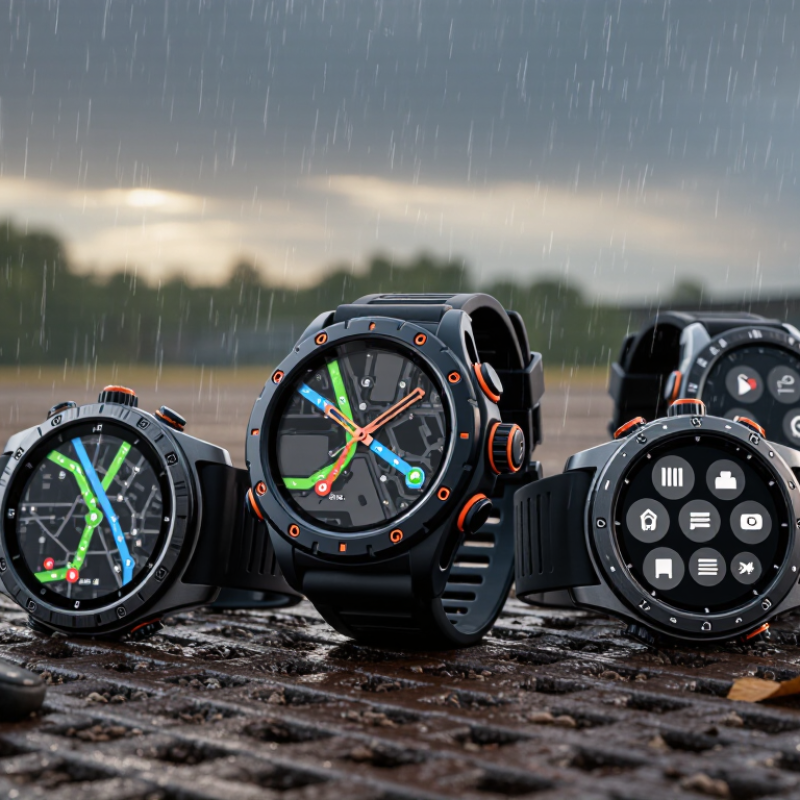
Before comparing rugged outdoor smartwatches, list the tasks employees perform during a typical shift. A maintenance technician may need to record inspection times, receive urgent alerts, and check directions while wearing gloves. A delivery team may care more about location updates and dependable battery life. Be specific. “Useful in the field” is too vague to guide a purchase.
Talk with the people who will wear the devices, not only their managers. Ask how long they work outdoors, whether they handle rain or dust, and how often they can recharge. Screen visibility in direct sunlight matters. So does a strap that stays comfortable through an eight-hour shift. Some employees may need voice controls; others may find them distracting. Small details count.
Separate essential requirements from preferences. For example, define the minimum battery life for a full shift, the alerts users must receive, and whether data needs to sync in areas with weak coverage. Then test a small group under real working conditions. A short trial can reveal problems that a feature list misses, though one team’s results may not fit every role. Requirements can change after the first week, and that is worth planning for.
Before selecting a rugged outdoor smartwatch, map the conditions workers will actually face. A landscaping crew may deal with wet gloves, grit, and repeated impacts from tools. A survey team may spend hours in direct sun, cold wind, or remote areas with weak signals. Write down typical temperatures, exposure to rain, dust, vibration, and daily wear time. Small details matter.
Check the watch’s stated operating temperature and water- and dust-resistance ratings. Treat ratings as test conditions, not promises of survival in every situation. Pressure washing, salt water, and sudden temperature changes can create stresses that ordinary rain tests do not cover. That distinction is easy to miss. Look for a raised bezel, reinforced glass, and buttons that remain usable with gloves. A bright, readable display also helps when sunlight washes out the screen.
Match durability to the cost of failure. If a worker relies on location tracking during long shifts, compare battery life with the actual tracking interval, not a manufacturer’s best-case estimate. Test a sample unit on a normal workday, including charging, glove use, and wet conditions. One limitation may become obvious only after several hours. I would also ask how straps and charging contacts hold up to dust and repeated cleaning; these small parts can be weak points, and product descriptions may not say enough about them.
For a business smartwatch, battery life should be judged against a real shift, not a laboratory estimate. Frequent GPS tracking, bright screens, and cold mornings can drain a battery faster than expected. Check runtime with the features your staff will actually use, then leave a practical reserve for delays. A device that needs charging halfway through a field day may disrupt work. That gap matters. A short pilot across several shifts can reveal more than a specification sheet.
Connectivity affects both safety and record keeping. Compare cellular support, Bluetooth, Wi-Fi, and satellite positioning against the places employees work. A watch may lose signal in a wooded area, between tall buildings, or inside a vehicle. Look for clear offline behavior, stored activity data, and reliable syncing when coverage returns. Test it outdoors. Also check whether pairing and setup are simple enough for staff who do not manage devices every day.
Essential features depend on the job. A clear display, physical buttons, glove-friendly controls, and a secure strap can matter more than decorative functions. Review water and dust protection, temperature limits, and impact resistance, while checking how each rating was tested. Health or location alerts should be configurable and easy to understand. Not every shift is alike. A brief trial with the actual team can expose awkward menus or weak charging routines; those details are easy to miss during procurement.
| Comparison Dimension | Profile A: Everyday Field Work | Profile B: Remote Operations | Profile C: Extended Expeditions |
|---|---|---|---|
| Typical use | Inspections, site visits, and workdays with regular access to charging. | Multi-day field assignments where dependable navigation and longer battery life matter. | Long trips or remote work where charging opportunities may be limited. |
| Typical smartwatch battery life | About 5–7 days, depending on display settings, notifications, and sensor use. | About 10–14 days under moderate use. | About 20–30 days in low-power watch modes; connected features can reduce this substantially. |
| Continuous GPS battery life | Often about 20–30 hours in a standard GPS recording mode. | Often about 30–40 hours in a standard GPS recording mode. | Often about 40–60 hours in a standard GPS recording mode; power-saving modes may extend recording time with reduced detail. |
| Phone connectivity | Bluetooth for phone notifications, app synchronization, and connected features. | Bluetooth; check compatibility with the phones and operating systems used by the team. | Bluetooth is useful for syncing, but the watch should retain key functions when the phone is unavailable. |
| Other connectivity | Wi-Fi may support data synchronization or updates when a compatible network is available. | Multi-band or multi-constellation GNSS can improve positioning in challenging environments; availability varies by device. | Some models offer cellular or satellite-related functions. Coverage, service plans, and supported features vary; these are not substitutes for a dedicated emergency plan. |
| Ruggedness checks | Look for a clearly stated water-resistance rating, a durable case, and a scratch-resistant display. | Check water and dust protection, operating-temperature limits, and documented impact testing. | Prioritize published environmental test details, a protected screen, and controls that are usable with gloves. |
| Navigation and sensors | GPS tracking, compass, and altimeter are useful for routine outdoor tasks. | Consider barometric altimeter, compass, route navigation, and support for multiple satellite systems. | Route guidance, waypoint navigation, a barometer, compass, and configurable low-power tracking can be valuable. |
| Work-ready features | Timers, alarms, calendar alerts, and basic activity or health tracking. | Customizable data screens, offline navigation, incident alerts, and compatibility with required work apps. | Long-duration tracking, offline maps where supported, configurable alerts, and access to essential data without a phone. |
| Best fit | Teams that value everyday convenience and can recharge regularly. | Teams balancing navigation, connectivity, and multi-day battery life. | Teams prioritizing endurance and offline capability over frequent connectivity. |
Note: Battery figures are indicative ranges for device categories, not guaranteed specifications. Actual runtime depends on GPS mode, screen use, temperature, notifications, cellular use, and sensor settings. Compare manufacturer-published test conditions and verify that any water-resistance or ruggedness rating matches your work environment.
A rugged smartwatch should fit the systems your team already uses, not create another island of data. Check its compatibility with company phones, operating systems, scheduling tools, and required field apps. Confirm that location, calling, and sensor features work together; a specification sheet may not show where they conflict. Test pairing on an actual work route, with gloves on and the phone in its usual carrying place. Small tests reveal gaps.
Security deserves the same attention as impact resistance. Ask how the watch encrypts stored and transmitted data, receives software updates, and separates one worker’s account from another’s. Look for administrator controls such as remote locking, device removal, and audit logs. Set clear limits on who can view location history and how long it is retained. Convenience can quietly widen access.
For fleet management, check whether staff can be enrolled in batches and whether administrators can see device status, battery levels, and update progress from one dashboard. Location reports should remain useful around buildings and trees, not only in an open test area. Confirm what happens when a watch loses signal: Can it store readings securely and sync them later? Try a small pilot across different shifts. One detail is easy to overlook: workers may stop wearing a device that is uncomfortable after a full day. Recheck fit and charging routines before expanding the rollout.
How to read this chart: The bars count practical checks in a selection checklist, not measured device capabilities. Verify operating-system and data compatibility; review authentication, encryption, software updates, and remote protection; and confirm provisioning, policy controls, inventory, diagnostics, and lifecycle support with each supplier.
A rugged outdoor smartwatch should be priced as a working tool, not a wrist-sized gadget. Compare the purchase price with charging docks, replacement straps, setup time, repair shipping, and staff hours lost when a device fails. Ask how long batteries and parts remain available. Check support response times, warranty exclusions, and whether fleet settings can be managed centrally. Small costs add up.
McKinsey Global Institute’s 2015 report, The Internet of Things: Mapping the Value Beyond the Hype, estimated that predictive maintenance could cut maintenance costs by 10–40% and reduce equipment downtime by 50%. Those figures are not smartwatch-specific, but they underline why serviceability matters: a replaceable battery or quick repair may protect more value than a lower sticker price. Track failures, charging interruptions, and repair turnaround during a pilot. Real use can be messier than the spreadsheet.
Long-term value also depends on comfort and support. Test the watch on a wet shift, with gloves, and during a full workday; a feature no one uses is wasted spend. Request written software-support timelines and check whether essential functions keep working offline. Compare three-year costs per active worker, including replacements and support. The cheapest option may win on paper. Maybe. Ask frontline staff what actually slows them down, then review that feedback after the pilot.
List typical rain, dust, vibration, temperatures, and daily wear time. A landscaping crew may need controls that work with wet gloves. Small details matter.
No. Ratings describe specific test conditions, not every work situation. Pressure washing, salt water, and sudden temperature changes can create extra stress.
A raised bezel, reinforced glass, and glove-friendly buttons can help. Choose a bright screen that stays readable in direct sun.
Test runtime with GPS, screen brightness, and other features enabled as staff will use them. Cold mornings can drain power faster. Leave a reserve for delays.
Compare cellular, Bluetooth, Wi-Fi, and satellite positioning with actual work locations. Signals may weaken in woods, between tall buildings, or inside vehicles. Test it outdoors.
Check whether it stores activity data and syncs after coverage returns. Clear offline behavior can help with records. I might be overlooking a rare case.
Prioritize readable displays, secure straps, physical buttons, and clear alerts. Decorative functions may matter less than easy controls during a busy shift.
A short trial can reveal awkward menus, weak charging routines, or straps that collect grit. Test glove use and wet conditions too. Specs can miss things.
Choosing a Rugged Outdoor Smartwatch for your business starts with understanding the work it needs to support. Identify users’ daily tasks, required data, and must-have functions before comparing devices. Consider where the watch will be used, including exposure to water, dust, impacts, temperature changes, and long hours outdoors. Its durability should match these conditions without adding unnecessary cost or bulk.
Next, compare battery life, connectivity, and essential features such as location tracking, alerts, and health or activity monitoring. Confirm that the watch works with your existing devices and systems, and review available security controls and fleet management tools for setup, updates, and oversight. Finally, look beyond the purchase price: assess support, warranty coverage, maintenance needs, and expected lifespan. A thoughtful comparison helps your business choose a practical device that serves employees reliably and delivers lasting value.